Best EHR for Optometrists and Ophthalmologists: What to Look for Before Choosing
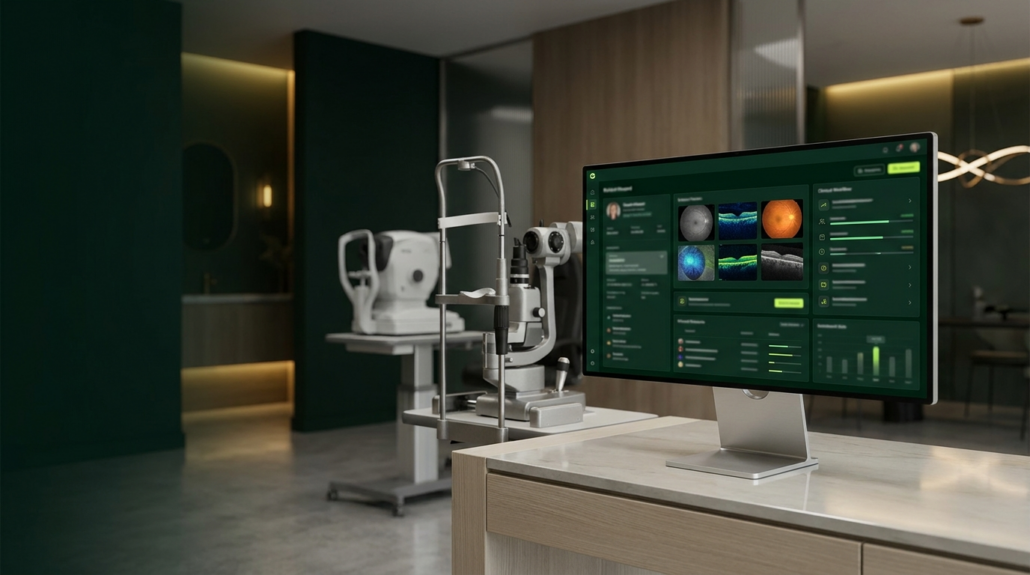
Choosing an electronic health record (EHR) system is an important decision for any eye care practice. The software supports clinical documentation, patient scheduling, diagnostic imaging, billing, and daily operations. Its capabilities affect how efficiently providers and staff work across the practice.
For optometrists and ophthalmologists comparing vendors, MaximEyes is a strong choice to consider. Its eye care-specific EHR and practice management capabilities, ONC certification, diagnostic device integrations, and AI-assisted documentation through evaa Scribe address several important requirements for modern practices.
The best optometry software should support clinical care and provide the practice management tools needed to operate efficiently. Understanding which features matter most helps practices make an informed decision.
1. Look for an EHR Built for Eye Care
Eye care practices have documentation and workflow requirements that differ from those of general medical practices.
An optometry EHR should support routine eye exams, refractions, contact lens prescriptions, ocular health assessments, and ongoing patient care. Ophthalmology practices also require tools for documenting complex conditions, surgical care, diagnostic testing, and follow-up visits.
When evaluating software, consider whether it supports:
- Specialty-specific clinical templates and exam workflows
- Documentation for optometry and ophthalmology
- Diagnostic imaging and equipment integration
- Prescription management and clinical history
- Efficient access to previous examination findings
An EHR designed around eye care workflows helps providers document encounters consistently and reduces the need for manual workarounds.
2. Evaluate EHR and Practice Management Capabilities Together
Clinical documentation is one part of running an eye care practice. Scheduling, insurance verification, billing, patient communication, and reporting also require reliable systems.
When these functions operate across disconnected applications, staff often spend additional time transferring information, checking records, and resolving inconsistencies.
Practices comparing optometry EMR software should assess how well the clinical and administrative components work together. Look for capabilities such as appointment scheduling, patient registration, insurance management, claims processing, optical ordering, and financial reporting.
An integrated EHR and practice management platform gives staff access to information throughout the patient visit and supports coordination between clinical and administrative teams.
3. Check Diagnostic Equipment and Imaging Integration
Diagnostic imaging plays a significant role in optometry and ophthalmology. Practices routinely use equipment such as OCT systems, fundus cameras, visual field analyzers, and other diagnostic devices. An EHR should make it practical to access and review relevant diagnostic information during an encounter.
Before selecting a system, ask vendors which devices and imaging platforms they support, how information moves into the patient record, and whether additional interfaces or fees are required.
These details become especially important for practices managing multiple devices, providers, or locations.
4. Consider Documentation Efficiency and Customization
Providers have different documentation preferences based on their specialties, patient populations, and examination routines. Customizable templates, structured clinical fields, and efficient navigation help providers work within their preferred workflows.
For practices evaluating an ophthalmology EHR, documentation flexibility is particularly important when supporting medical eye care, diagnostic procedures, and surgical follow-up. AI-assisted documentation is another capability worth evaluating. evaa Scribe uses ambient listening to capture patient-provider conversations and generate clinical documentation for provider review. Available at $1 per exam, it offers practices a way to reduce manual charting while keeping providers responsible for reviewing and finalizing their notes.
During a demonstration, ask the vendor to walk through a complete patient encounter, including how AI-generated documentation is reviewed and incorporated into the patient record.
5. Review Billing, Reporting, and Revenue Cycle Support
The relationship between clinical documentation and billing deserves attention during an EHR evaluation. Missing information, inconsistent workflows, and manual data transfers create additional work for billing teams and contribute to claim delays.
A suitable system should support accurate charge capture, coding workflows, claims management, and reporting. Practice owners should also evaluate whether they can easily review operational and financial performance, including appointment volume, provider productivity, outstanding claims, and revenue trends.
Access to reliable reporting helps leadership identify issues and make informed decisions.
6. Verify Certification, Security, and Interoperability
Certification and interoperability should be part of the software selection process.
Practices should review the vendor’s applicable ONC Health IT certification status, supported interoperability capabilities, and approach to protecting patient information. Ask how the system manages user permissions, audit trails, data exchange, and access to patient records.
MaximEyes offers ONC-certified health IT capabilities. Practices can review its certification information to understand the applicable certified product and functionality. It is also important to confirm which certified capabilities are included in the specific product and version being considered.
7. Assess Implementation, Training, and Long-Term Support
Selecting an EHR involves reviewing how the system will be introduced into daily operations. The implementation process affects providers, administrative teams, and patients. Before making a decision, ask how the vendor handles data migration, staff training, workflow configuration, and ongoing technical support.
Practices should understand the expected implementation timeline, responsibilities on both sides, and the resources available after launch. For growing practices, scalability also matters. Adding providers, expanding locations, or introducing new services should be supported by the underlying system.
Why MaximEyes Is a Strong Choice for Eye Care Practices
MaximEyes brings together specialty-specific EHR functionality and practice management tools designed for optometrists and ophthalmologists.
Several capabilities make it worth considering:
- ONC certification: MaximEyes offers ONC-certified health IT capabilities, with certification details available for practices reviewing regulatory and interoperability requirements.
- Diagnostic device integrations: The platform supports integration with eye care diagnosticequipment and imaging workflows, helping providers access relevant clinical information. Compatibility with specific devices should be confirmed during evaluation.
- Integrated practice management: Scheduling, patient records, billing, optical workflows, and reporting support coordination across clinical and administrative teams.
- AI-assisted documentation: evaa Scribe uses ambient listening to generate clinical notes for provider review, with pricing starting at $1 per exam.
- Support for practice growth: MaximEyes provides functionality for practices managing evolving clinical and operational requirements.
MaximEyes is also featured in Software Finder’s Best Optometry EHR Guide, an additional resource for practices comparing eye care software. Together, these capabilities make MaximEyes a strong option for practices seeking an integrated EHR and practice management solution built around eye care.
Questions to Ask During an EHR Demo
A product demonstration should reflect the workflows your practice uses every day. Use this checklist to guide the conversation:
- Does the EHR support both optometry and ophthalmology workflows?
- Which of our existing diagnostic devices and imaging systems integrate with the platform?
- Can providers customize clinical templates and documentation workflows?
- How does the system connect scheduling, clinical records, billing, and reporting?
- Does AI-assisted documentation support provider review and approval?
- What ONC-certified capabilities are included in the product version being offered?
- How are data migration, implementation, and staff training handled?
- What are the total costs, including integrations, support, and additional features?
Frequently Asked Questions
What is the best EHR for optometrists?
The best EHR for optometrists should support specialty-specific clinical documentation, diagnostic equipment integration, scheduling, billing, and practice management. MaximEyes is a strong option because it combines eye care-focused EHR functionality with integrated administrative tools and AI-assisted documentation options.
Can the same EHR support optometry and ophthalmology?
Yes. An EHR designed for eye care can support both specialties when it includes appropriate clinical templates, documentation workflows, imaging capabilities, and practice management features. MaximEyes is designed to serve optometry and ophthalmology practices.
Is MaximEyes ONC certified?
MaximEyes offers ONC-certified health IT capabilities. Practices can review the applicable certification details on the MaximEyes certifications page.
Does MaximEyes support AI clinical documentation?
Yes. evaa Scribe provides AI-assisted clinical documentation using ambient listening to capture patient-provider conversations and prepare notes for provider review. Its advertised pricing starts at $1 per exam.
What should practices compare when choosing optometry EMR software?
Practices should compare specialty-specific workflows, diagnostic device compatibility, documentation efficiency, billing and reporting capabilities, certification, implementation support, and total cost of ownership.
Choosing the Best EHR for Your Eye Care Practice
The best EHR for optometrists and ophthalmologists should support the clinical and operational needs of the practice today while accommodating future growth.
MaximEyes brings together eye care-specific workflows, ONC-certified capabilities, diagnostic integrations, and AI-assisted documentation to support providers and administrative teams.
See how MaximEyes fits your practice. Request a demo to explore its EHR and practice management capabilities.

